




Back to: Kiosk Users
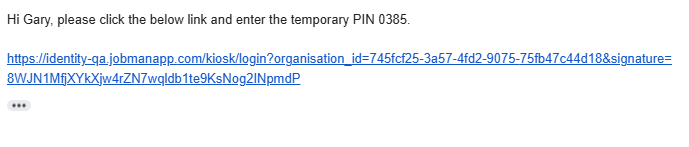
When your employer has set you up as a Kiosk User in their Jobman Software, they will email you a link that looks something like this:
When you click the link, you will be taken to this page:
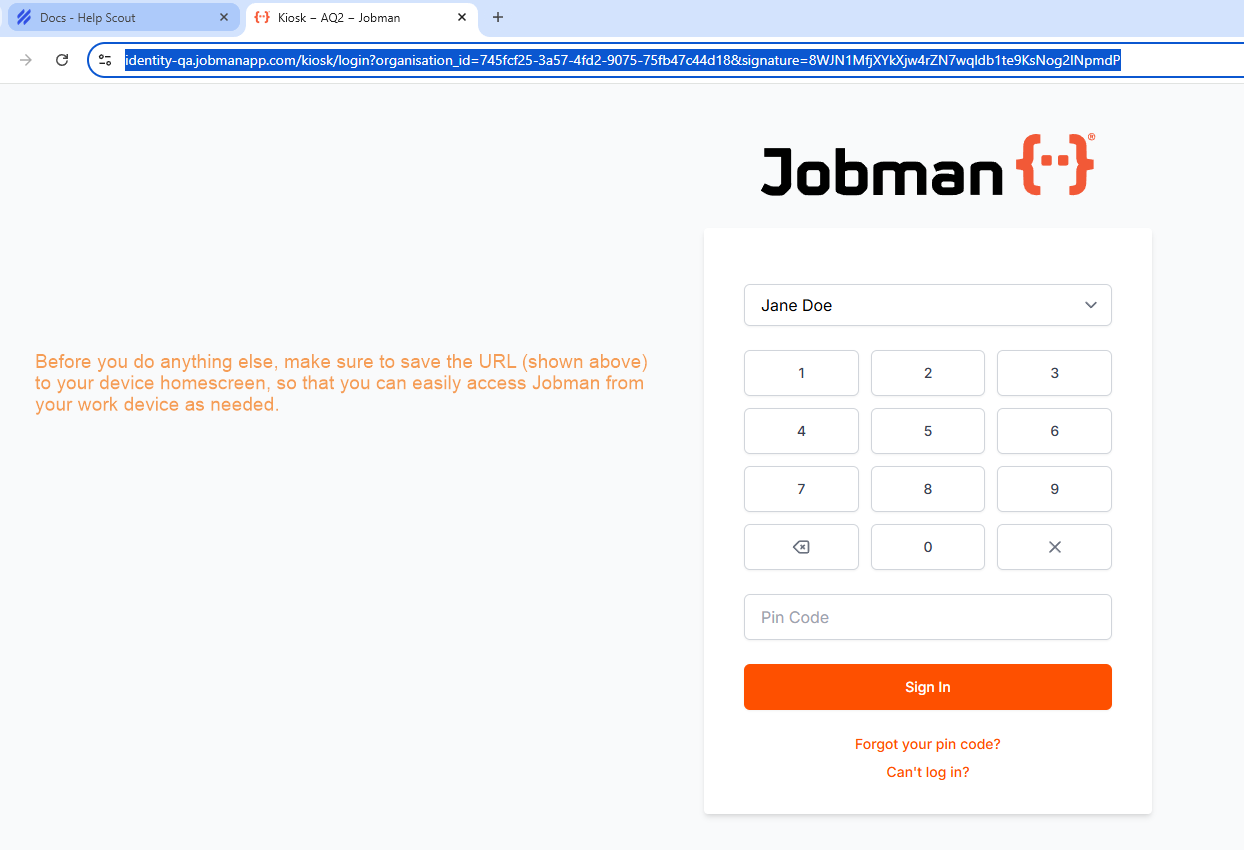
We strongly recommend saving the URL to your work device home screen for easy access in the future. (You can look up how to do this, e.g. “How to save link to home screen on iPhone using Chrome”.)
Once you have saved the URL to your home screen, select your name from the drop-down:
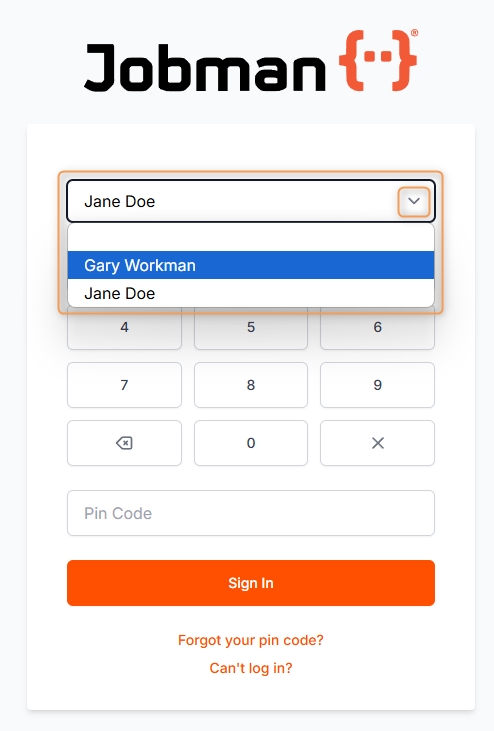
Then, using the keypad (shown above), enter the temporary PIN which you have received in the email. You will be redirected to the following screen:
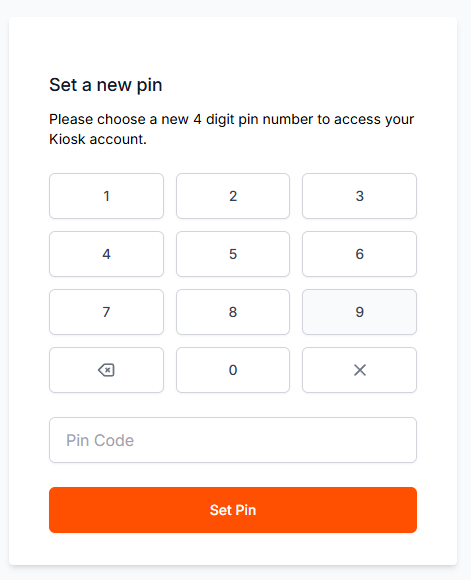
Using the keypad as before, set a new PIN.
Important: Once you have set your new PIN, do not share it with anyone. Your PIN can be changed at any time, or revoked by your manager if necessary.
Once you have typed in your new PIN, you will be redirected to the Kiosk Dashboard, which will look something like this:

Note: Not all of these icons may appear on your Dashboard. The icons you can see will depend on which staff permissions you have been given.