




Back to: Complete Jobman Set-Up Guide for Administrators
A service is an item in your catalogue that represents a service which you either buy from an external supplier or contractor, or which your customers buy from you.
Examples: delivery, installation.
To create a new catalogue service, follow these steps:
- From the User Menu Panel, navigate to Catalogue > Services and click Create:
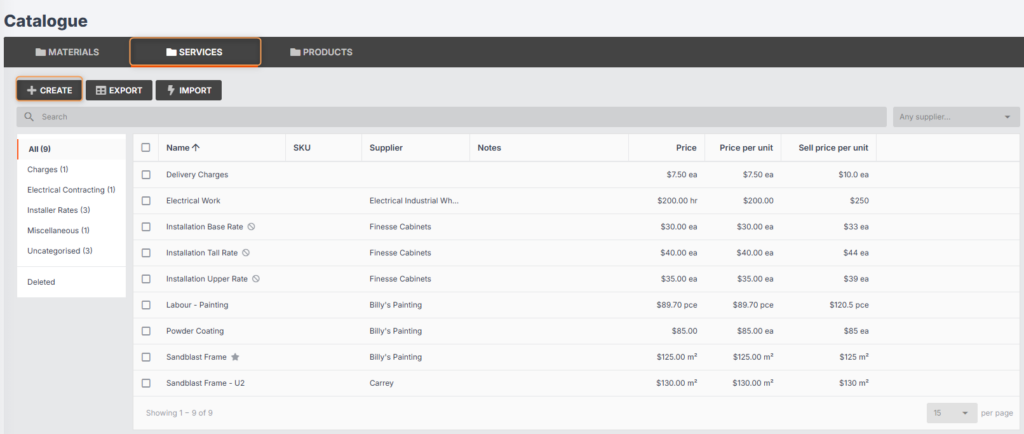
2. Enter the Name, e.g. “Delivery.”
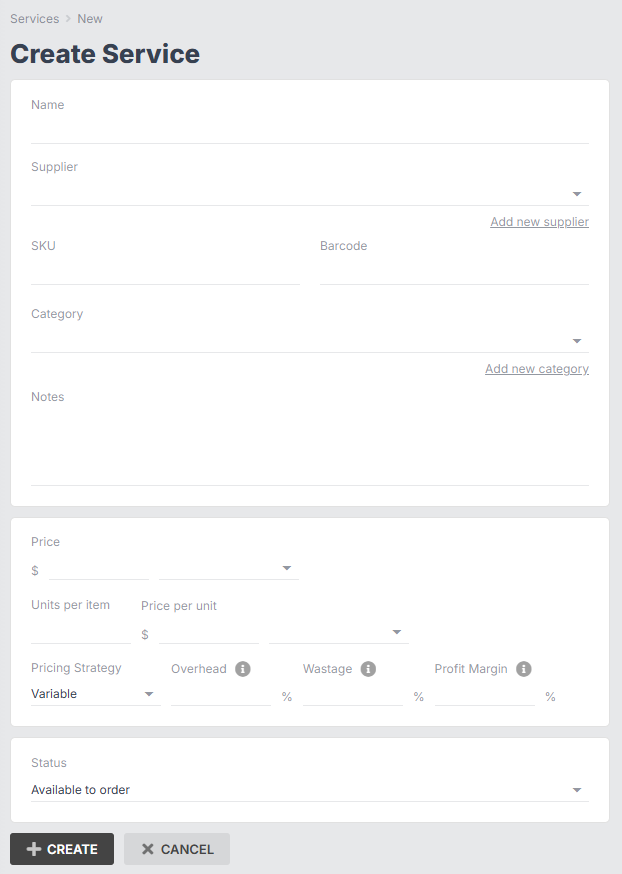
3. Select a supplier from the drop-down. (You can add a new supplier on the spot if needed.)
4. Enter the SKU and barcode, if applicable.
5. Select a category from the drop-down. (You can add a new category on the spot if needed.)
6. Enter any notes, if applicable.
7. Enter the price, price unit ID, units per item, price per unit, and unit price unit ID.
8. Enter the pricing strategy, overhead, wastage, and profit margin as needed.
9. Enter the status (this will usually be Available to order).
10. Click Create again.
You can click into an existing service at any time to update it.